
Manage Support Tickets Across WhatsApp, Chat, and Email
Keep every customer issue organised across channels with clear ticket ownership, status, conversation history, and follow-up.
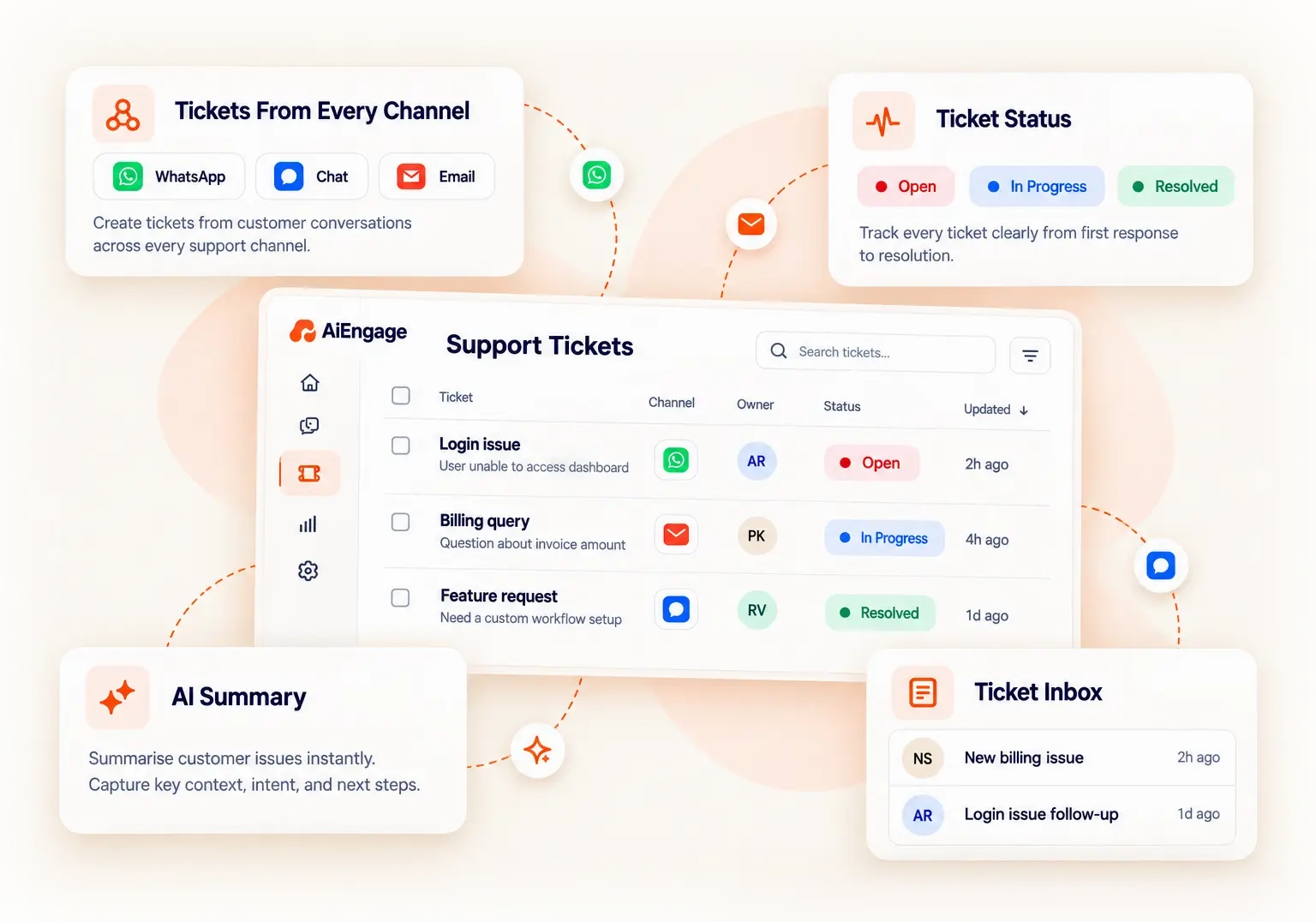
Create Tickets From Every Support Channel
Turn customer conversations into trackable tickets from WhatsApp, AI Agent, website chat, email, and live agent interactions. Keep the original conversation connected so your team always has the full context behind the issue.
Manage Every Ticket in One Place
Keep every customer issue organized with the ticket details, owner, team, status, category, tags, and conversation history connected in one place.
Keep Ticket Ownership Transparent
Assign every ticket to the right agent or team so there is no confusion about who is responsible for the next response or resolution.
Track Every Ticket Status
See what is open, waiting, resolved, or closed without searching through customer conversations.
Manage Support From One Inbox
Bring support conversations from multiple channels into one inbox so your team can reply, assign, and create tickets without switching between different tools.
Turn Support Emails Into Tickets
Connect your support mailboxes and automatically create tickets from incoming customer emails. Keep email replies connected to the same ticket thread for easier follow-up.
Control Which Emails Create Tickets
Keep unnecessary emails from filling your ticket queue. Set exclusion rules for senders, domains, and email content so only relevant support requests become tickets.
Add a Support Chat Widget
Give website visitors a direct way to reach your support team from your website. Customers can start a conversation, raise a ticket, find help, or book a meeting from the same support popup.
Move From AI to Live Agent Support
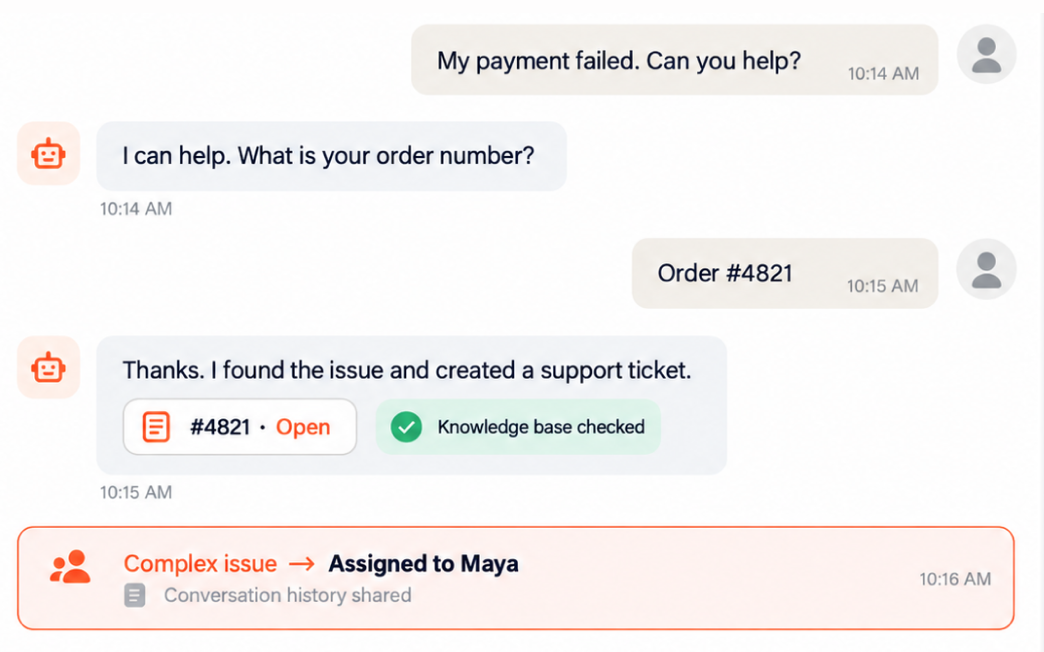
Let AI handle routine conversations and hand over complex issues to a live agent when human support is needed, without losing the previous conversation.
Add Internal Notes
Keep internal discussions connected to the ticket without showing them to the customer. Help agents share context when an issue moves between people or teams.
Create Custom Ticket Views
Organize ticket queues based on the way your support team works. Create focused views for specific teams, agents, ticket statuses, categories, or tags.
Automate Everyday Customer Support With AI
Let your AI agent handle initial conversations, answer routine questions, and collect issue details around the clock.
Make Your AI Agent Work Your Way
Customise your AI agent's behaviour to match your application, support process, and brand voice. Define how it responds, what it helps with, and when it transfers a conversation to your team.
Sync Your Knowledge Base and Website in One Click
Connect your knowledge base and website content to your AI agent in one click. Give it the information it needs to answer customer questions using your help articles, product details, and support guidance.