Send Voice Messages From Your WhatsApp Team Inbox
Sometimes typing a long WhatsApp reply takes more time than simply explaining it.
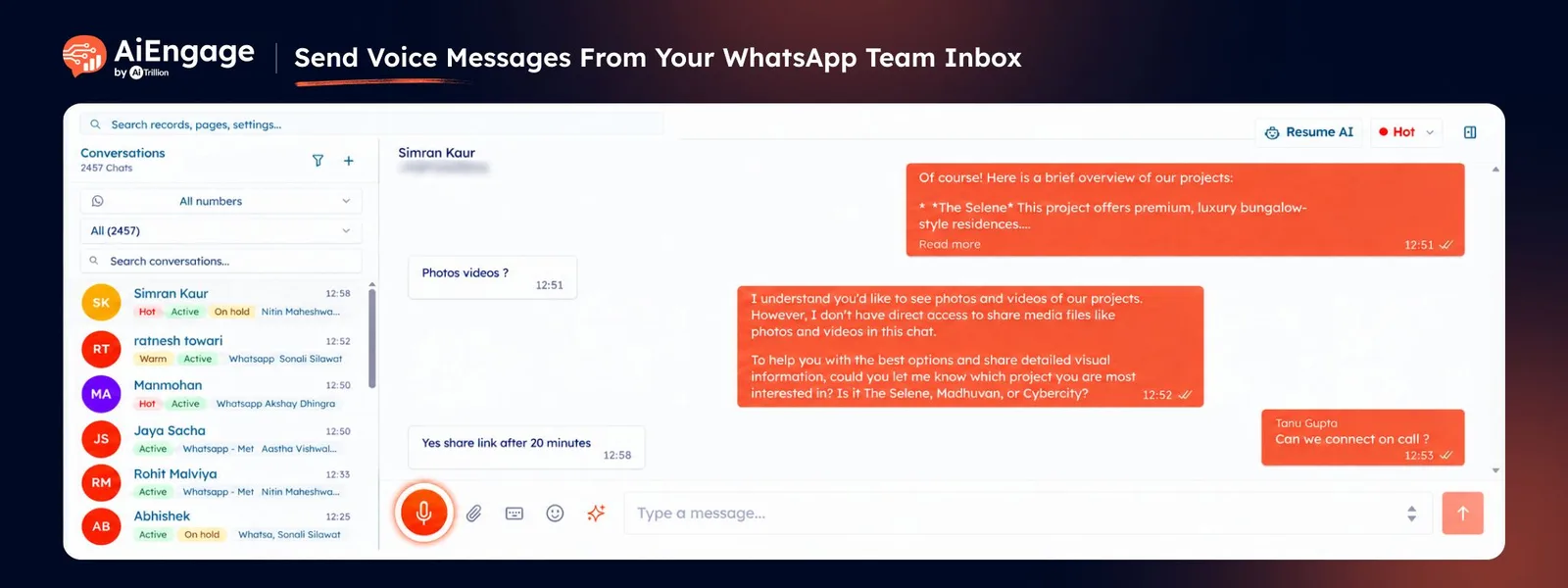
With Voice Messages in AiEngage CRM, your team can record and send WhatsApp voice messages directly from the Team Inbox. Explain something in detail, answer a customer question, provide an update, or reply to a specific message without switching to your phone.
Voice messages stay inside the customer conversation, so your team can listen to them later and keep the complete communication history in one place.
🆕 Features
Record Voice Messages Directly from the WhatsApp Inbox
Send voice notes to customers without leaving AiEngage CRM.
Open a WhatsApp conversation, click the microphone button, and record your message directly from your computer.
Record voice messages from the WhatsApp Team Inbox.
Use your laptop, headset, or connected microphone.
Speak naturally instead of typing long explanations.
Send the recording through the customer's existing WhatsApp conversation.
This gives your team a quicker way to communicate when a written response would take longer.
Listen Before You Send
Review your recording before it reaches the customer.
Once you finish recording, AiEngage CRM gives you an audio preview so you can listen to the message and make sure everything sounds right.
Play the complete recording before sending.
Check your message for clarity.
Confirm that the correct information was recorded.
Send the voice message only when you're ready.
Your team gets more control over customer communication without accidentally sending an unfinished recording.
Discard and Record Again
Changed your mind while recording?
You can discard the current voice message and start again.
Delete a recording before it is sent.
Record a new message immediately.
Correct mistakes without sending multiple voice notes.
Keep customer conversations cleaner.
Nothing is sent to the customer until your team chooses Send.
Send Voice Messages Through WhatsApp
Once the recording is ready, send it directly to the customer through WhatsApp.
The customer receives it as a normal WhatsApp voice message that they can play from their WhatsApp application.
Inside AiEngage CRM, the voice message remains part of the conversation history.
Send recorded voice messages directly through WhatsApp.
Let customers listen from their regular WhatsApp conversation.
Keep sent voice messages visible inside the CRM.
Allow other team members to listen to previous voice messages when reviewing the conversation.
This keeps customer communication accessible to the wider team instead of leaving important voice conversations on an individual employee's phone.
Reply to a Specific Customer Message with Your Voice
When a customer asks several questions, your response can be linked directly to the message you are answering.
Select Reply on the customer's message and record your voice note.
Reply to a specific WhatsApp message.
Record the response instead of typing it.
Keep questions and answers easier to understand.
Maintain context during longer customer conversations.
This is useful when customers send multiple messages and your team needs to make it clear which question is being answered.
Record Securely from Your Browser
AiEngage CRM uses your browser's microphone access to record voice messages.
The first time you use the feature, your browser may ask for permission to access your microphone.
Allow microphone access when prompted.
Use your computer's built-in microphone.
Connect a headset or USB microphone when preferred.
Manage microphone permissions through your browser settings.
Once permission is enabled, your team can record messages directly from the CRM whenever needed.
❤️ Why You'll Love It
Faster Customer Replies: Explain detailed information without typing long messages.
More Personal Communication: Give customers a more natural, human response through voice.
Built Into WhatsApp Inbox: Record and send messages without switching to your phone.
Preview Before Sending: Listen to recordings before they reach the customer.
Easy Re-Recording: Discard a recording and start again when needed.
Message-Level Replies: Respond directly to a specific customer message using voice.
Shared Conversation History: Keep voice notes available to other team members.
Better Context: Keep voice, text, and customer communication together in one conversation.
Team-Friendly Communication: Let another team member understand what was previously discussed.
No Separate Voice App Needed: Manage voice communication from the same WhatsApp workspace your team already uses.
🎯 Use Cases
Product Explanations: Explain product details, specifications, or recommendations more naturally.
Sales Follow-Ups: Send a quick personalized voice follow-up after speaking with a prospect.
Price and Proposal Clarifications: Explain pricing, quotations, or proposal details that may be difficult to communicate through a short text.
Booking Assistance: Walk customers through booking details or next steps.
Customer Support: Explain troubleshooting instructions or answer detailed customer questions.
Order Updates: Give customers additional context about an order, delivery, or request.
Real Estate Conversations: Explain property details or respond to buyer questions quickly.
Travel Enquiries: Share itinerary details, booking information, or travel instructions.
Customer Relationship Management: Add a personal touch to important customer conversations.
Replying to Multiple Questions: Link a voice response directly to the exact message being answered.
For more information, visit the AiEngage CRM Help Center or contact the AiEngage CRM support team.
New to AiEngage CRM? Sign Up