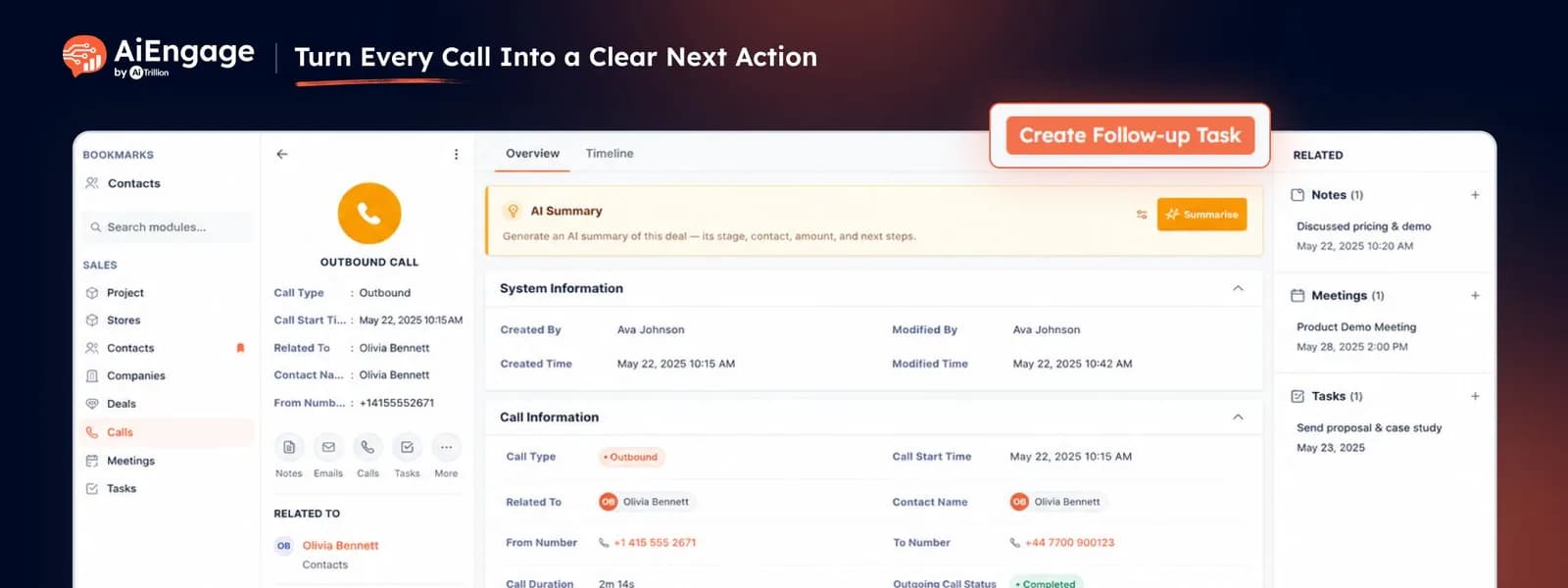
Turn Every Call Into a Clear Next Action
Now, after a call in AiEngage CRM, you can create a follow-up task directly from the call record without switching to another screen or losing the call context.
🆕 Features
Create a Follow-Up Task From the Call Record
If a call needs another action, create a task right from the same call screen. You can define:
Task subject.
Task owner.
Status.
Due date.
Priority.
Description.
Reminder and reminder time.
Alert method.
Repeat settings.
The task stays connected to the call and customer context, so the next action is clear to the person responsible for it. This is especially useful when the call is not answered, needs another follow-up, requires a callback, or ends with a specific next step.
❤️ Why You’ll Love It
Never Miss a Callback: turn the next action into a task immediately after the call.
Keep Context Connected: create the follow-up from the same call record instead of adding it somewhere else.
Clear Ownership: assign the task to the person responsible for the next action.
Stay on Schedule: add due dates and reminders so follow-ups happen at the right time.
Prioritize Important Calls: set task priority based on how urgent the follow-up is.
🎯 Use Cases
No Answer: create a callback task when a lead does not pick up.
Call Me Later: schedule the exact date and reminder requested by the customer.
Sales Follow-Up: assign the next call after a product discussion or demo.
Customer Callback: create a task when an existing customer needs another conversation.
Team Handoff: assign the follow-up to another team member with the required call context.
For more details on enabling and using this feature, visit our Help Center or contact our support team.
New to AiEngage CRM? Sign Up