WhatsApp Business API vs App: What's the Difference?
Compare WhatsApp Business API vs WhatsApp Business App to understand their features, pricing, automation, and which option suits your business.
- 1WhatsApp Business API vs App
- What Is the WhatsApp Business App?
- What Is the WhatsApp Business API?
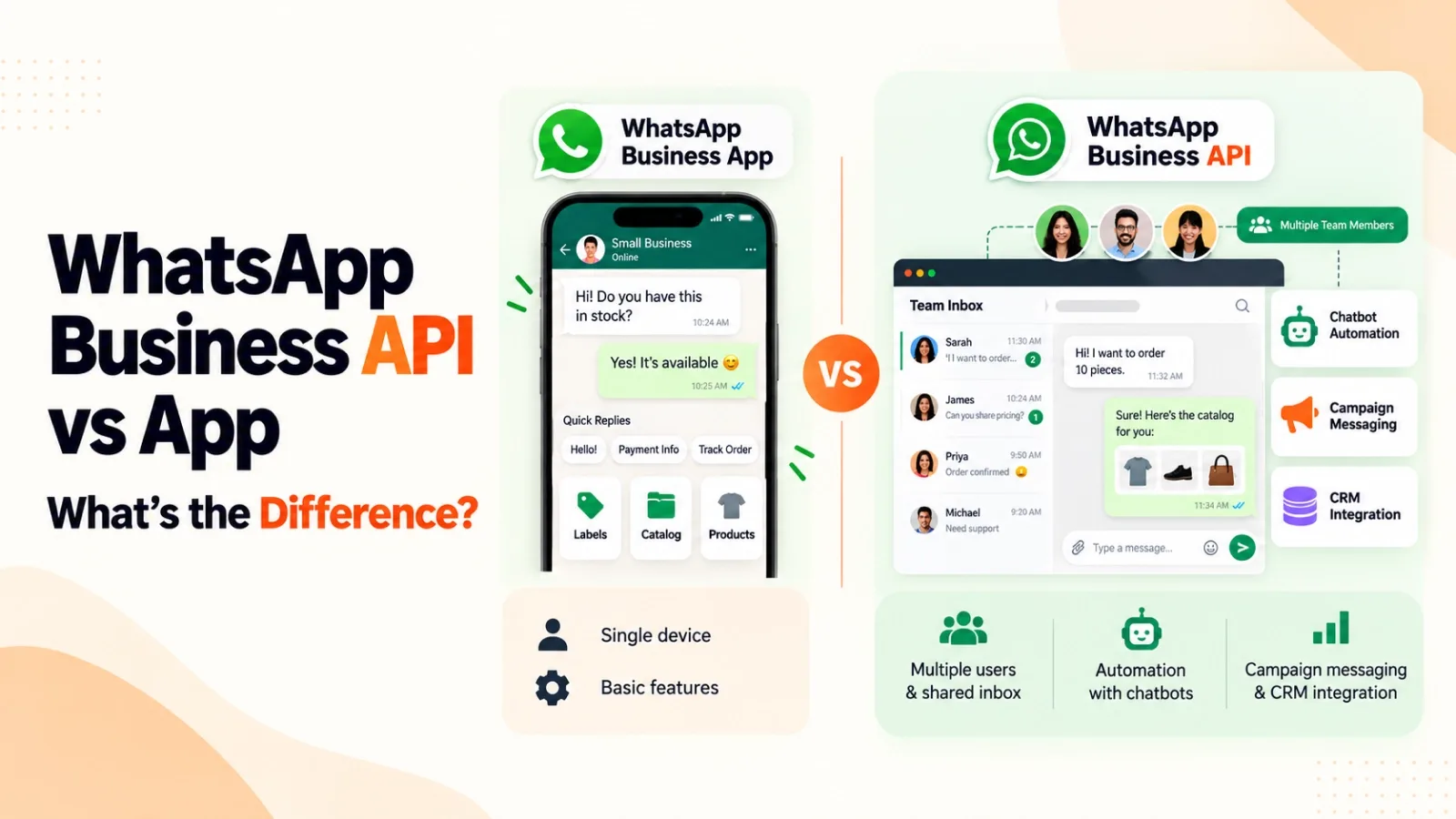
- Side by Side Comparison
- 2WhatsApp Green Tick Verification: Which Option Gets You There?
- Eligibility for the Verified Badge
- How to Apply for WhatsApp Green Tick Verification
- 3WhatsApp Business API Pricing vs the Free App
- How Meta's Message-Based Pricing Works
- Hidden Costs of Staying on the Free App
- 4Which One Should Your Business Choose?
- When the WhatsApp Business App Is Enough
- Signs You Need the WhatsApp Business API
- Quick Decision Checklist
- 5Moving from the WhatsApp Business App to the API
- What Happens to Your Number and Chats
- Steps to Migrate Safely
- 6Real Use Cases of WhatsApp API for Business
- 7How AiEngage CRM Helps You Use the WhatsApp Business API
- 8FAQs
- Question: Is the WhatsApp Business API free?
- Question: Can I get the verified badge on the free app?
- Question: What is the WhatsApp Cloud API?
- Question: Can I use the same number on the app and the API?
- Question: Do I need a developer to use the API?
- 9Conclusion
The call usually starts with the same sentence: "We already use WhatsApp Business, so why does everyone keep telling us to get the API?"
That is exactly how the owner of a growing coaching institute opened his first conversation with our team. He had read a dozen articles, spoken to two vendors, and walked away more confused than before.
One vendor told him the free app was all he needed. Another said the API would triple his admissions. Neither asked how his team actually worked.
So we asked. And his story is the clearest way we know to explain the difference.
Quick Answer: In the WhatsApp Business API vs app choice, the app is free and built for one person replying from a single phone. The API connects your number to a platform, so a whole team can share one inbox, run chatbots, send campaigns at scale, and sync chats with a CRM, with Meta charging per template message. Pick the app for low volume and the API once a team handles your chats.
WhatsApp Business API vs App
What Is the WhatsApp Business App?
His institute had started on the WhatsApp Business App, as most businesses do. It is a free app from Meta, built for small businesses, and it worked beautifully for him in the early days when he answered every enquiry himself.
Key WhatsApp Business App FeaturesWhen we walked through his setup, he was already using most of the WhatsApp Business App features:
A business profile with address, timings and website
A catalog listing his courses
Quick replies for fee and batch timing questions
Greeting and away messages
Labels like "New enquiry" and "Fee pending"
Broadcast lists of up to 256 contacts
Linked devices, so the account opened on his laptop too
Our honest advice to him was this: the app is built for one person, or a very small team, talking to customers. Solo founders, local shops, consultants and home businesses rarely need more. The WhatsApp Business App features are genuinely good. The trouble begins when the business grows faster than one phone can keep up with, and that is precisely what had happened to him.
What Is the WhatsApp Business API?
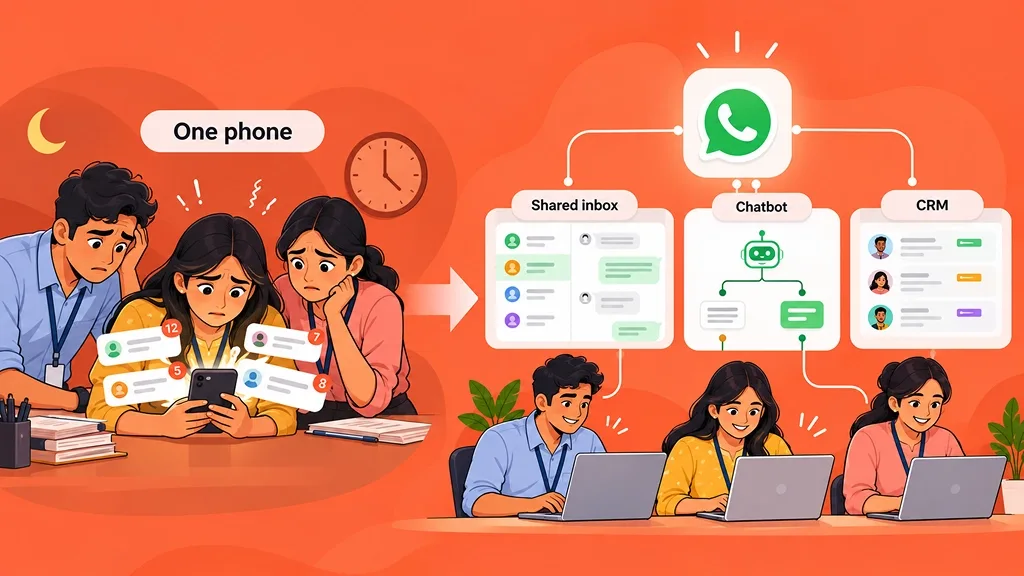
By the time he reached us, three counsellors were passing a single phone around the office. Leads from his Facebook ads arrived late at night and sat unanswered until morning. Half of them had already enrolled elsewhere.
That is when we explained what the WhatsApp Business API really is. It is not another app to download. It is a connection that lets your WhatsApp number work with software: a shared inbox, a chatbot, a CRM. Your conversations stop living on one phone and start living in a system.
 How the WhatsApp Cloud API Works
He asked us the question almost everyone asks next: "Is the Cloud API something different?" Not really. The WhatsApp Cloud API is the version of the API that Meta hosts on its own servers, and today it is the main way businesses get access.
We kept the explanation simple. Your number is registered with Meta, a platform sends and receives messages through it, and every chat appears on a dashboard your whole team can see.
Any message your business starts must use a template approved by Meta. When a customer messages you, a 24-hour window opens for free-form replies.
Why You Need a Platform to Access the APIThis was the part neither vendor had told him. On its own, the API has no screen, no inbox, and no buttons. You either hire developers to build all of that, or you use a platform that already has it. That is the gap our team fills at AiEngage CRM.
Side by Side Comparison
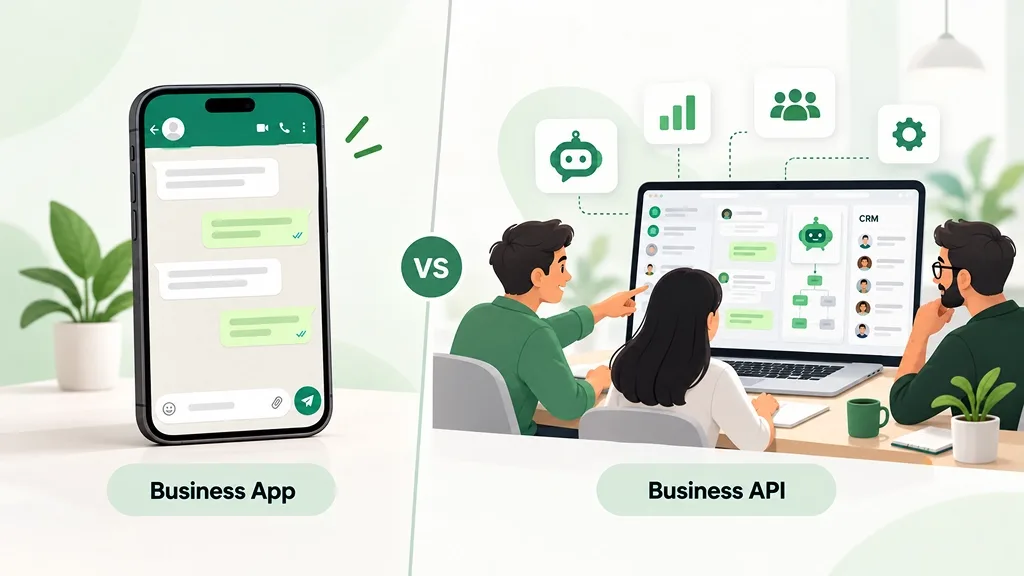
To clear his confusion, our team put both options on one page for him. This is the same table we share with every business that comes to us stuck between the two.
Feature | WhatsApp Business App | WhatsApp Business API |
|---|---|---|
Cost | Free | Charged per template message, plus platform fee |
Team access | One phone plus a few linked devices | Unlimited agents through a shared inbox |
Automation | Greeting, away messages, quick replies | Chatbots, AI agents, workflows |
Bulk messaging | Broadcast lists of 256, only to saved contacts | Template campaigns to opted-in contacts at scale |
CRM connection | None built in | Full WhatsApp CRM integration |
Verification | Paid Meta Verified subscription | Official Business Account or Meta Verified |
Reporting | Basic message stats | Delivery, read, campaign and agent reports |
Setup time | A few minutes | Business verification plus platform setup |
He looked at it for a minute and said, "So the app is a phone, and the API is an office." That is the best summary we have heard.
 Key Differences Explained
1. Team Access and Multiple Agents
His biggest headache was not knowing who had replied to which parent. We suggested a shared inbox where every counsellor logs in separately, chats are assigned automatically, and he can see each person's response time.
Within the first week, the arguments over "who was supposed to call back" disappeared.
2. Automation and Chatbots
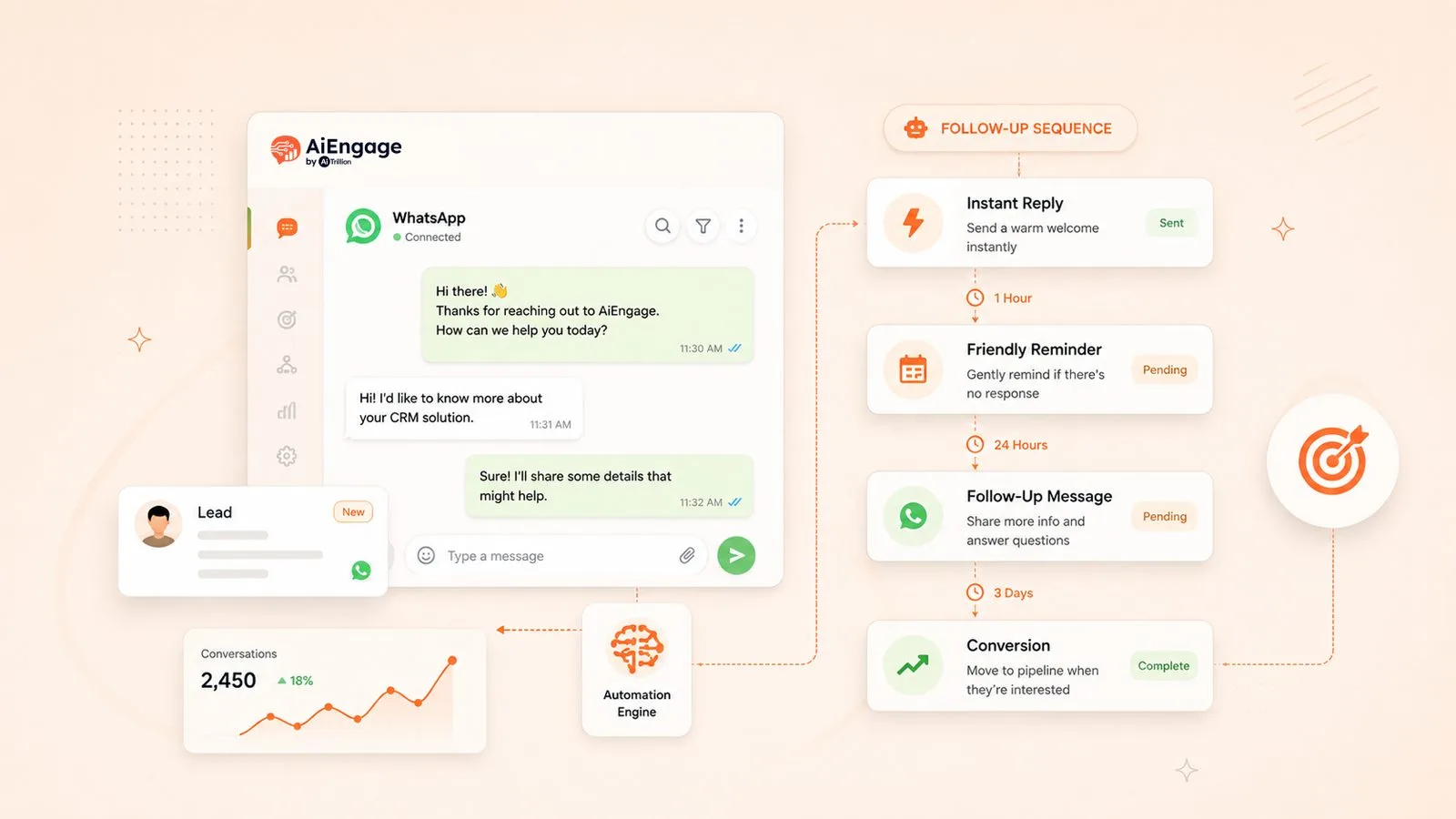
Next, our team tackled the late-night leads. We set up a chatbot that replied within seconds, asked about the course, preferred batch and city, and flagged serious enquiries for the morning.
We go deeper into how this works in AI Chatbot for WhatsApp: How It Qualifies Leads Automatically.
3. Bulk Messaging and Broadcast Limits
He had been frustrated that his batch announcements never reached everyone. That is because broadcast lists on the app only deliver to people who saved your number.
With the API, approved template campaigns reach every student who has opted in, with sending limits that grow as your number builds a good record.
4. WhatsApp CRM Integration and Other Tools
Our team thinks this is the difference businesses underestimate most. His lead details lived in chats, a notebook, and two spreadsheets.
Once we set up WhatsApp CRM integration, every enquiry, conversation and admission stage sat in one place.
If you want to see what that looks like in practice, read The Complete Guide to WhatsApp CRM for Business Growth.
5. Message Templates and the 24 Hour Window
He was worried the template rule would make his messages sound robotic. We showed him how to write warm, personal templates and use the 24-hour window for natural replies.
The rule also protects his number from spam reports, which matters far more as volume grows.
WhatsApp Green Tick Verification: Which Option Gets You There?
Then came the question we hear from almost every client: "Can we get the green tick?" Before answering, we cleared one thing up. Meta has changed the badge colour, so verified businesses now show a blue checkmark, even though everyone still searches for WhatsApp green tick verification.
Eligibility for the Verified Badge
We explained the two routes to him. The Official Business Account badge comes through the API, costs nothing, but is granted only after Meta reviews your business.
You need completed Meta Business Verification and a recognised brand, and genuine press coverage helps. The second route is Meta Verified for Business, a paid subscription available on the WhatsApp Business App in supported regions.
How to Apply for WhatsApp Green Tick Verification
Here is the process our team followed with him:
Complete Meta Business Verification in Meta Business Suite
Connect the number to the API through the platform
Submit the Official Business Account request with links to press mentions
If rejected, build brand presence and reapply later
We also gave him the same warning we give everyone. Nobody can guarantee WhatsApp green tick verification. Meta decides, not the agency.
WhatsApp Business API Pricing vs the Free App
How Meta's Message-Based Pricing Works
His next worry was cost, so we walked him through WhatsApp Business API pricing. Meta charges based on the type of template message you send, and rates vary by country, so we always point clients to Meta's official pricing page for current numbers.
Message type | Used for | Charged? |
|---|---|---|
Marketing | Offers, new batches, reminders | Yes, per delivered message |
Utility | Fee receipts, schedule updates | Yes, but free inside an open customer service window |
Authentication | One time passwords | Yes, per delivered message |
Service replies | Replying to customers within 24 hours | Free |
On top of this, the platform charges a subscription for the inbox, automation and CRM.
Hidden Costs of Staying on the Free App
Then we asked him one question: how many admissions did he lose last month to slow replies? He went quiet. Once he counted the missed night-time leads, the repeated typing and the forgotten follow-ups, WhatsApp Business API pricing stopped looking like an expense and started looking like the cheaper option.
Which One Should Your Business Choose?
When the WhatsApp Business App Is Enough
We don't push every business toward the API. If one person handles all chats, volume is low, and you don't run ads to WhatsApp, we genuinely tell clients to stay on the app.
Signs You Need the WhatsApp Business API
You have outgrown the app when leads wait overnight, several people share one phone, or you need automation and reports to understand what is working.
Quick Decision Checklist
Your situation | Our suggestion |
|---|---|
Solo owner, low chat volume | WhatsApp Business App |
Two or more people replying to customers | WhatsApp Business API |
Running ads that click to WhatsApp | WhatsApp Business API |
Need a chatbot or AI lead qualification | WhatsApp Business API |
Need CRM syncing and sales reports | WhatsApp Business API |
Just testing WhatsApp as a channel | Start with the app, upgrade later |
The coaching institute ticked four of the six boxes. The decision made itself.
Moving from the WhatsApp Business App to the API
What Happens to Your Number and Chats
His last fear was losing his number, which parents had saved for years. Earlier, moving to the API meant removing the number from the app completely.
Meta now supports a coexistence setup in many regions, so you can keep using the app on the same number while it is connected to the API, with some limits. We checked his eligibility before touching anything.
Steps to Migrate Safely
Our team moved him over in five steps:
Backed up important chats and contact lists
Completed Meta Business Verification
Connected his number to AiEngage CRM
Got his first message templates approved
Trained the counsellors on the shared inbox before switching
Real Use Cases of WhatsApp API for Business
His institute is one story, but we see the same pattern across industries. This is how the businesses we work with use WhatsApp API for business every day:
Lead capture from ads: a chatbot replies in seconds and qualifies the lead
Order and delivery updates: sent automatically for online stores
Cart reminders: friendly nudges with a direct product link
Appointment reminders: clinics and salons reducing no-shows
Support routing: questions reaching the right team without manual forwarding
How AiEngage CRM Helps You Use the WhatsApp Business API
We built AiEngage CRM because we kept meeting businesses like his: plenty of conversations, no system around them.
AiEngage WhatsApp CRM software gives you a shared WhatsApp inbox, AI chatbots that qualify leads, broadcast campaigns, and WhatsApp CRM integration in one place.
If WhatsApp API for business sounds technical, don't worry. Our team sets it up with you, just like we did for him.
FAQs
Question: Is the WhatsApp Business API free?
Answer: No. Replies inside the 24-hour window are free, but template messages are charged by Meta, and platforms charge for their software.
Question: Can I get the verified badge on the free app?
Answer: Yes, through the paid Meta Verified subscription in supported regions. The free Official Business Account badge needs the API and Meta's approval.
Question: What is the WhatsApp Cloud API?
Answer: It is the version of the API that Meta hosts itself, and it is now the standard way to access the platform.
Question: Can I use the same number on the app and the API?
Answer: In many regions, yes, through Meta's coexistence setup, though some features are limited.
Question: Do I need a developer to use the API?
Answer: Not if you use a platform like AiEngage CRM that provides the inbox and automation ready to go.
Conclusion
A few weeks after the switch, the institute owner sent us a short message: "Nobody is fighting over the phone anymore." That line says more than any feature list.
The WhatsApp Business API vs app choice is not really about technology. It is about the day your customers start waiting on you.
If that day has already arrived for your business, our team is happy to help you take the next step.

I help businesses simplify marketing, sales, and customer support through AI and automation. At AiEngage CRM, we bring lead management, WhatsApp, calling, email campaigns, meetings, and support into one connected platform. Our vision is to help businesses run smarter with AI, empowering teams to streamline everyday work, strengthen customer relationships, and drive sustainable growth.