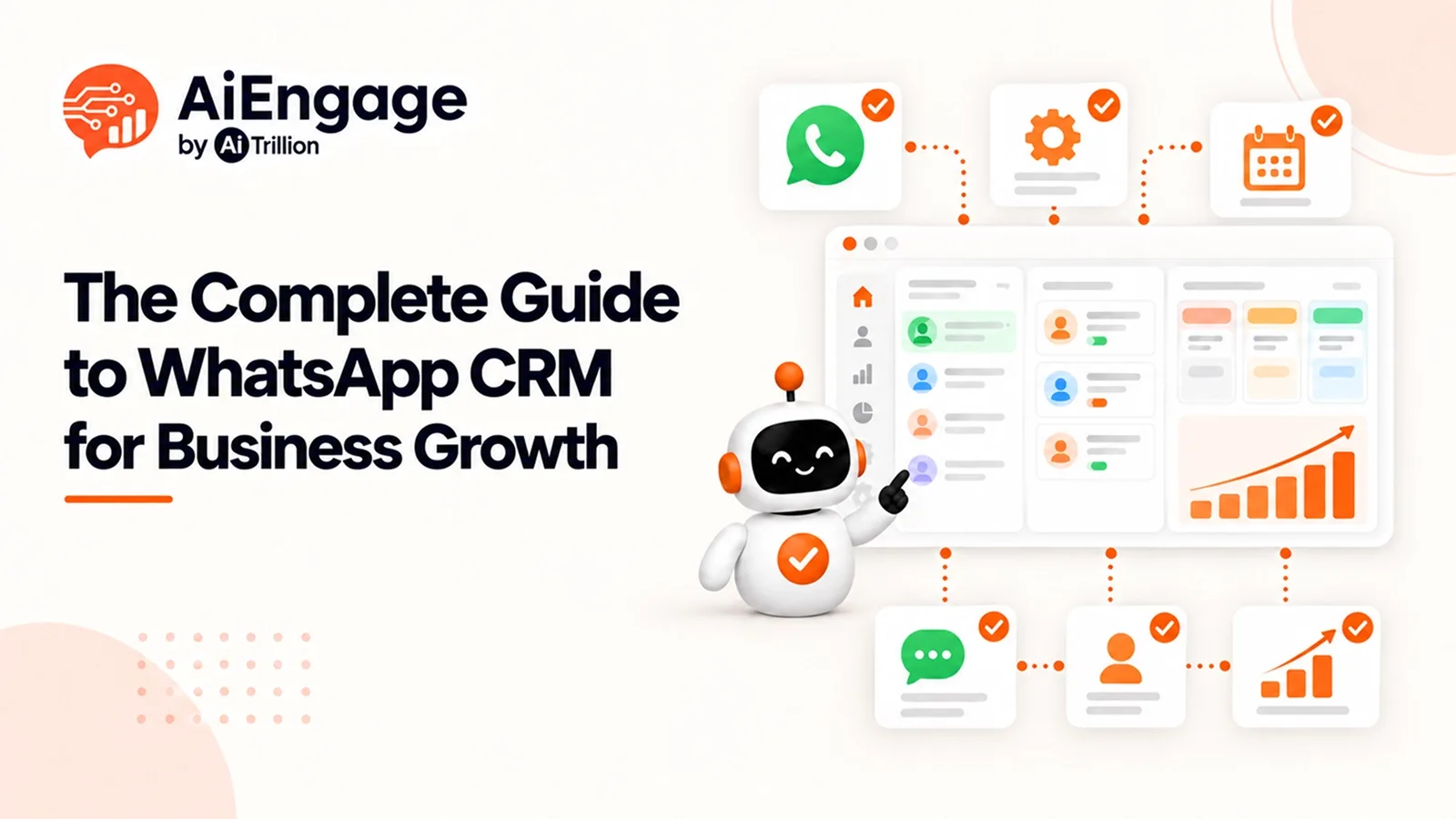
The Complete Guide to WhatsApp CRM for Business Growth
Rohan runs a small home décor business in Pune. Last month, he almost lost a big order. Not because of the price. Not because of the product. A customer's messa…
- 1What is a WhatsApp CRM?
- 2How WhatsApp CRM Works
- The Basics: API + CRM Together
- One Rule to Remember: The 24-Hour Window
- A Lead's Journey, Step by Step
- 3Core Features to Look For
- 4Business Benefits of WhatsApp CRM
- 5In Their Own Words: What Founders Say
- 6Market Insight: Why WhatsApp CRM Is Growing Fast
- 7Industry-Specific Use Cases
- 8How to Choose the Right WhatsApp CRM
- 9Step-by-Step: Setting Up WhatsApp CRM for Your Business
- 10WhatsApp CRM vs. Traditional CRM vs. Standalone Chat Tools
- 11Conclusion
- 12FAQs
- Is WhatsApp CRM free?
- Can I use my personal WhatsApp number?
- Does it work with Meta and Google Ads?
- Is it safe from getting my number blocked?
- How long does it take to set up?
Rohan runs a small home décor business in Pune. Last month, he almost lost a big order. Not because of the price. Not because of the product. A customer's message got buried in his personal WhatsApp, under family chats and forwarded memes. By the time he saw it and replied, the customer had already bought from someone else.
This happens to business owners every day. Their busiest sales channel, WhatsApp, runs on a personal phone that was never built for business.
That's why so many owners now look for a WhatsApp CRM for business growth. It's a simple way to stop losing customers to slow replies and messy chats.
In this guide, we'll cover what is WhatsApp CRM, how it works, and how to pick the right one. We'll keep it simple, with real examples along the way.
What is a WhatsApp CRM?
Let's start with the basics. So, what is WhatsApp CRM? In simple words, it's a system that connects your WhatsApp chats to your customer database.
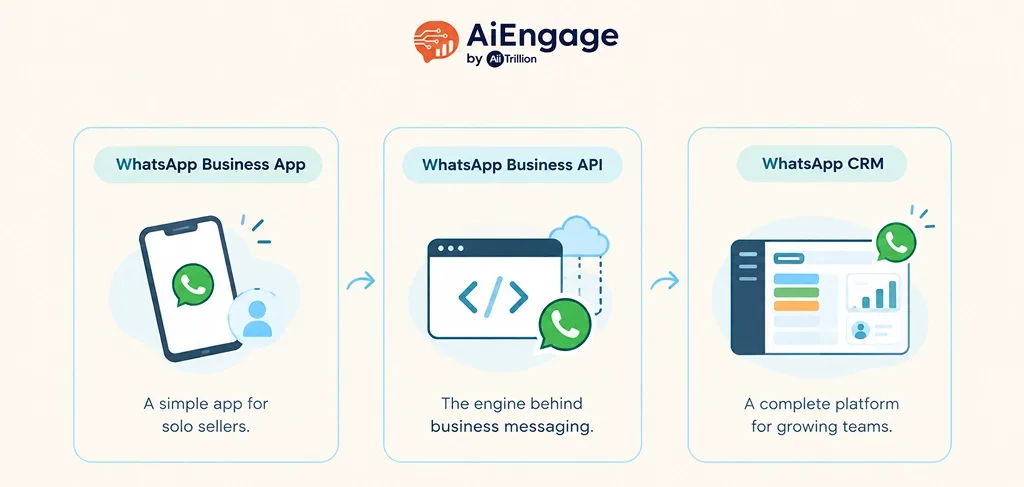
Every chat, every lead, and every follow-up stays in one organized place, instead of getting lost on a phone screen. People often mix up three different things. Here's the difference:
Tool | What It Is | Who It's For |
|---|---|---|
WhatsApp Business App | Free app for solo shop owners. Works on a few linked devices, but has no shared inbox, CRM sync, or automation | Freelancers, single-location shops |
WhatsApp Business API | The backend system that powers business messaging. No app or dashboard on its own | Developers, mid-large businesses |
WhatsApp CRM | A full platform built on the API, with pipelines, automation, AI, and reports | Growing sales & support teams |
A WhatsApp CRM is more than "WhatsApp with extra buttons." It brings every lead, chat, deal, and follow-up into one place, so nothing gets missed.
How WhatsApp CRM Works
You don't need to be technical to understand how WhatsApp CRM works. Think of it like a relay race: each step passes the message along smoothly, without anyone dropping it.
The Basics: API + CRM Together
A message first comes in through WhatsApp's official Business API, set up by a certified provider. The CRM sits on top of this and gives your team three things:
A shared inbox: so any team member can see and reply to a chat
Automation: welcome messages, reminders, and follow-ups sent automatically
AI replies: instant answers to common questions, even at night
One Rule to Remember: The 24-Hour Window
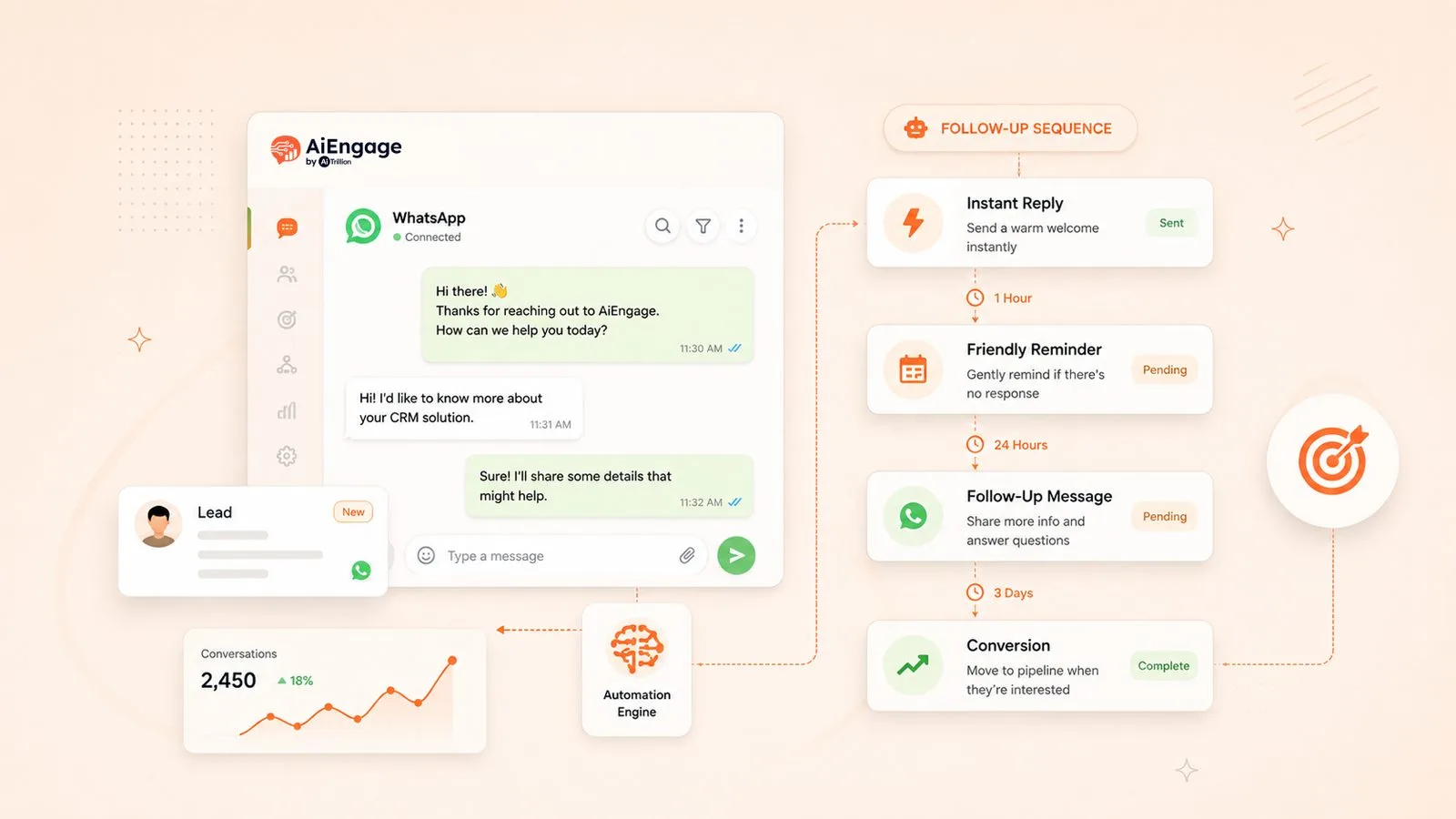
Once a customer messages you, you can reply freely for 24 hours. After that, you need a pre-approved message template to start the chat again. A good WhatsApp CRM tracks this for you, so your team never has to worry about the clock.
A Lead's Journey, Step by Step
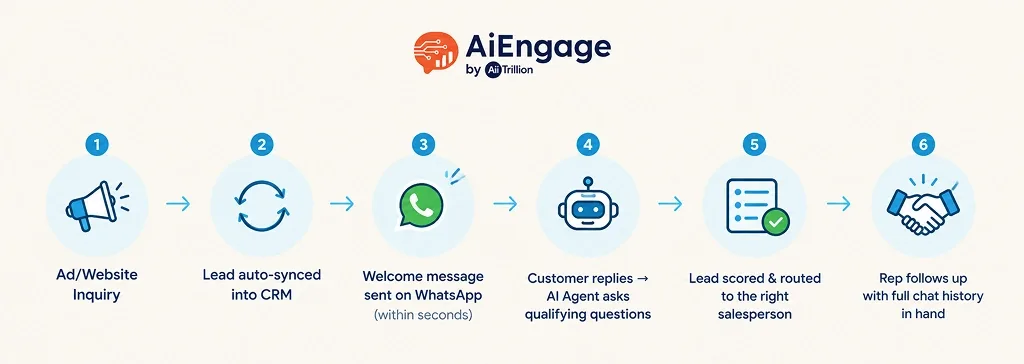
Ad/Website Inquiry → Lead auto-synced into CRM → Welcome message sent on WhatsApp (within seconds) → Customer replies, AI Agent asks qualifying questions → Lead scored & routed to the right salesperson → Rep follows up with full chat history in hand → Deal closed 🎉
This is what a WhatsApp Business API CRM integration guide is really about: not sending more messages, but sending the right message, at the right time, without anyone having to remember.
Core Features to Look For
Not every tool that calls itself a "WhatsApp CRM" really is one. Here's what to look for when comparing the best WhatsApp CRM software 2026 has to offer:
Feature | Why It Matters |
|---|---|
Unified inbox (WhatsApp + email + calls) | See a customer's full history in one place |
Auto lead capture from ads/forms | No lead gets missed or lost |
AI replies & qualification | Common questions get answered instantly |
Broadcast messaging (spam-safe) | Message many customers without risking a ban |
Automation & follow-up sequences | Cold leads get reminders automatically |
Reporting dashboards | See clearly what's working and what isn't |
With these features, a business can truly automate sales and support with WhatsApp CRM, instead of hiring more people just to answer the same questions again and again.
Business Benefits of WhatsApp CRM
Three months after switching, Rohan's response time went from "whenever I remember" to under two minutes. That's the real payoff of the benefits of WhatsApp CRM integration:
Faster replies, more sales: leads rarely wait more than a few minutes
Nothing gets lost: every inquiry has an owner and a next step
Better planning: you can predict next month's revenue instead of guessing
Lower cost: one platform replaces several disconnected tools
More accountability: the WhatsApp CRM analytics and reporting features show who responded, how fast, and what actually worked
Businesses using WhatsApp CRM for lead nurturing and follow-ups see far fewer "ghosted" leads. Reminders and follow-ups keep working, even while the team sleeps.
In Their Own Words: What Founders Say
Numbers are convincing. But hearing it from someone who's lived it hits differently.
"Customer data was spread across different tools, which made things confusing... now our team has a clear view of every interaction, making it far easier to manage relationships."
— Kabir Jain, Founder & CEO, Saas Marketing Platform
"We wanted a better way to connect with customers on WhatsApp; now we can run bulk campaigns smoothly without worrying about numbers getting blocked. It made customer communication so much easier."
— Yogendra Agrawal, CMO, Real Estate owner
The pattern here is simple. It's rarely one big fix. It's small daily problems, a lost chat, a blocked number, quietly going away.
Market Insight: Why WhatsApp CRM Is Growing Fast
Here's why this shift is happening now, backed by real numbers:
Metric | Data Point | Verified Source |
|---|---|---|
WhatsApp's global scale | 3+ billion monthly active users worldwide | |
WhatsApp Business daily activity | 554.7 million daily active users on WhatsApp Business (Q4 2024) | |
Messaging API market growth | $46.8B (2024) → projected $64.8B by 2026 | Grand View Research — Messaging Application API Market Report |
Customers open WhatsApp messages far more often, and much faster, than email. That's why more businesses are building centralized customer communication WhatsApp CRM setups, where WhatsApp isn't a backup plan; it's the main channel.
Industry-Specific Use Cases
A WhatsApp CRM for business growth looks different depending on your industry. Here are a few examples:
Real Estate: Priya, a real estate agent in Bangalore, gets thirty "do you have 2BHK flats?" messages a day. Instead of typing the same reply each time, her AI agent asks about budget and location first. Only serious, qualified leads make it to her calendar for a site visit.
Healthcare: Dr. Kapoor's clinic front desk used to spend hours calling patients to confirm appointments. Now WhatsApp reminders do this automatically, cutting no-shows without a single phone call.
Education: Ananya, an admissions counselor, gets hundreds of "what's the fee structure?" messages every season. The AI answers instantly, day or night, and only brings in Ananya when a parent needs real guidance.
Finance: Vikram, a finance advisor, no longer plays phone tag asking "did you get my documents?" A simple WhatsApp checklist and status update handles it instead.
Travel: At Meera's travel agency, itinerary updates that once meant retyping the same details for every traveler now go out automatically. Later, past travelers get a personalized offer right when they're due for their next trip.
Different industries, same result: fewer repeated messages, faster answers, and more time for the conversations that truly need a human touch.
If you're comparing CRM options, it's also important to consider your industry's specific needs, workflows, and customer journey. See our guide on How to Choose the Right CRM for Your Industry: A 2026 Guide.
How to Choose the Right WhatsApp CRM
Before you commit to a tool, check for these:
Is it built on the official WhatsApp Business API, not a risky workaround?
Does it offer real AI-based lead qualification, not just a canned reply?
Does it connect with your ad platforms (Meta, Google) and website forms?
Does it include real WhatsApp CRM analytics and reporting features, not just a basic dashboard?
Is the pricing clear, with no hidden per-message charges?
Ask any vendor for a live demo of the automation and reporting, not just the chat inbox. That's usually where the real difference shows up.
Step-by-Step: Setting Up WhatsApp CRM for Your Business
Getting started is easier than most people expect. Here's the general process, and it's how a platform like AiEngage CRM sets things up for growing businesses:
Get WhatsApp Business API access: through a verified provider. This step includes the green tick verification, which builds instant trust with customers. Most providers handle the paperwork with Meta for you; you just need your basic business details ready, like your business name, website, and category.
Connect your lead sources: website forms, Meta Ads, Google Ads, and any other place customers reach out. Once connected, every new lead syncs into the CRM automatically, along with useful details like where they came from and what they asked about. No more copying names from one app to another.
Set up one welcome message: Even something simple like "Thanks for reaching out! We'll get back to you shortly" makes a big difference. It tells the customer they've been heard, and it buys your team a little time to respond properly.
Add a follow-up sequence: for leads that go quiet after 2–3 days. This is one of the most valuable steps; most businesses recover leads here that they would have otherwise written off completely. A simple "Just checking in, are you still looking for this?" often does the job.
Train your AI agent: on 5–10 common questions so it can start qualifying leads on its own. Think about what customers usually ask first: budget, timeline, location, or product preference, and start there. You can always add more questions later, once you see what people actually type in.
Set clear rules for human handover. Decide exactly when the AI should pass a conversation to a real team member, for example, once a lead is qualified, or if the customer asks something the AI can't answer. This keeps your team focused only on the conversations that truly need them.
Check your dashboard weekly and improve whatever isn't working. Look at how fast your team is replying, where leads are dropping off, and which messages are actually getting responses. Small weekly tweaks add up fast.
Most businesses see real results within the first two weeks. Start small; one welcome message and one follow-up sequence is often enough to notice the difference before you add more automation.
Platforms like AiEngage CRM's WhatsApp AI Agent handle steps 2 through 5 for you right out of the box, so you're not building any of this from scratch.
WhatsApp CRM vs. Traditional CRM vs. Standalone Chat Tools
Traditional CRM | Standalone WhatsApp Tool | WhatsApp CRM | |
|---|---|---|---|
Central lead database | Yes | No | Yes |
Native WhatsApp messaging | No (often bolt-on) | Yes | Yes |
AI qualification & automation | Limited | Limited | Yes |
Sales pipeline tracking | Yes | No | Yes |
Best for | Complex enterprise sales | Simple broadcast messaging | Growing teams needing both |
If all you need is to send bulk WhatsApp messages, a standalone tool might work. But if you want leads, chats, and deals all connected in one place, a WhatsApp CRM is the better long-term choice.
Conclusion
Rohan's near-miss with that buried WhatsApp message isn't rare. It happens in thousands of businesses right now, every time a lead waits just a little too long for a reply.
Whether you're just reading your first WhatsApp Business API CRM integration guide or ready to switch for good, a well-chosen WhatsApp CRM for business growth turns that chaos into one simple, trackable system: every lead captured, every follow-up automated, every conversation in one place.
The businesses that move first are the ones capturing the leads everyone else is quietly losing.
AiEngage CRM brings lead capture, WhatsApp automation, and an AI agent together in one platform, built for growing sales and support teams.
Book a demo and see how it can turn your WhatsApp into your busiest sales channel, not your most chaotic one.
FAQs
Is WhatsApp CRM free?
The WhatsApp Business App is free. A full CRM with automation and AI usually comes with a monthly plan, but most offer a free trial to test first.
Can I use my personal WhatsApp number?
It's not recommended. A verified Business API number keeps your personal number safe and unlocks automation that personal WhatsApp can't offer.
Does it work with Meta and Google Ads?
Yes. Most modern platforms sync leads from ad campaigns into your WhatsApp CRM within seconds of a form being submitted.
Is it safe from getting my number blocked?
Using an official, API-based CRM (instead of unofficial bulk-messaging tools) lowers this risk a lot, since it follows WhatsApp's own rules.
How long does it take to set up?
Basic setup, API verification, lead sources, and a welcome message, usually takes a few days. Fine-tuning your automation and AI takes a bit longer, but most teams are running within their first week.